UK Based Support
Order today, ships tomorrow
Wireless CarPlay & Android Auto Touchscreen - Best Car Display for Apple CarPlay and Android Auto
Sale price
£99.97
Regular price
£129.99
-23% OFF
 Happy Customers
 In stock and ready to ship


Exclusive Online Discounts
100% Satisfaction Guaranteed
Car Multimedia Player with Wireless Carplay & Android Auto 🚗📲

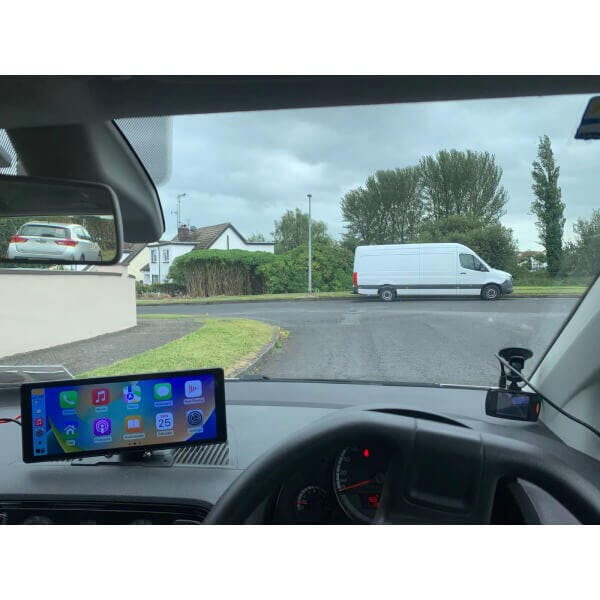
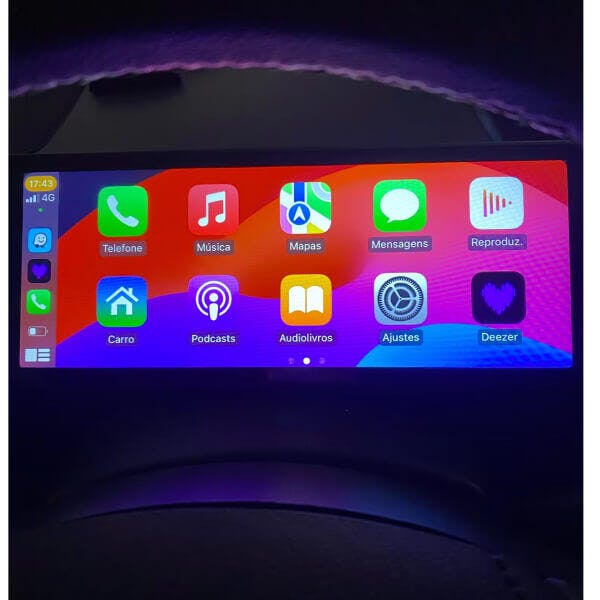
Transform your driving experience with this 10.26” Car Multimedia Player! 🌟 Equipped with wireless CarPlay and Android Auto, it allows easy access to navigation, music, and hands-free calls. 📱
Enjoy clear and vibrant visuals on the high-resolution IPS display while using the built-in touch screen for intuitive control. Plus, it’s designed to fit most vehicles effortlessly! 🚗

Liam R. - ⭐⭐⭐⭐⭐ "Perfect for road trips! 🚗 The easy setup and touch screen make this car radio a must-have."
This universal car media player has everything you need for a smarter and safer drive. 🎵 Whether you’re reversing or streaming, it’s got you covered!

Transform your driving experience with this 10.26” Car Multimedia Player! 🌟 Equipped with wireless CarPlay and Android Auto, it allows easy access to navigation, music, and hands-free calls. 📱
Enjoy clear and vibrant visuals on the high-resolution IPS display while using the built-in touch screen for intuitive control. Plus, it’s designed to fit most vehicles effortlessly! 🚗

Specifications:
📺 Display Size: 10.26” HD IPS screen
🔍 Resolution: 1600 x 600
🖐️ Touch Screen: 2.5D curved, scratch-resistant
🌐 Connectivity: Wireless CarPlay & Android Auto, Bluetooth, USB
🚘 DIN Type: One Din
💾 TF/Micro SD Slot: 1
🔧 Compatibility: Universal, fits most vehicles (12V-24V)
✨ Special Features: Reversing input, mobile phone charger, CarPlay, Android Auto, FM transmitter
🛠️ Material Type: ABS + Metal
🗣️ Languages Supported: English, Spanish, French, Arabic, Chinese (Simplified & Traditional), German, Japanese, Korean, Russian, Italian, Dutch, Portuguese, Turkish, Thai, Vietnamese, Polish, Ukrainian, Greek, Persian, and more. 🌎

Package Includes:
1x 10.26” Touchscreen Multimedia Player
1x Power Cable
1x User Manual
1x Reversing Camera
1x TF/Micro SD Slot Adapter
1x Remote Control

How to Use:
Power On & Setup: Connect the player to your car’s power supply using the provided cable.
Pairing Bluetooth: Search for “carplay” on your mobile phone and connect to the device.
FM Transmission: Set an FM frequency on both the player and your car radio for audio output.
Reversing Input: Connect the reversing camera to the designated input for a wide-angle rear view.

Q&A Section:
Q: How do I connect CarPlay and Android Auto?
A: Search for the Bluetooth device “carplay” on your mobile phone. When prompted, click "use" or "trust" the device.
Q: How do I transmit sound through my car speakers?
A: You have three options: Use the built-in speaker, FM transmission, or AUX cable for audio transmission.
Q: Why won’t my device auto-connect with Bluetooth?
A: Clear all previously paired devices from your phone’s Bluetooth settings and restart both the device and your mobile phone.